MCP Setup Guide
Add FO Semantic Search to Microsoft Copilot Studio
Step-by-step guide to integrate the F&O Semantic Search MCP server with your Copilot Studio agent
Prerequisites
- API Key - Get your API key from xplusplus.ai
- Copilot Studio Access - You need access to Microsoft Copilot Studio
- Existing Agent - Create or have an existing Copilot agent to add the tool to
Add MCP Server to Copilot Studio
In your Copilot agent, go to Tools → Add a tool → Model Context Protocol, then fill in the server details.
| Server name | FO Semantic Search |
|---|---|
| Server description | Semantic search over Microsoft Dynamics 365 Finance & Operations standard artifacts including tables, forms, classes, data entities, EDTs, and enums. Searches 140,000+ indexed F&O artifacts with AI-generated business descriptions and cross-references. |
| Server URL | https://mcp.xplusplus.ai/mcp |
| Authentication | Select API key |
| Type | Select Header |
| Header name | X-API-Key |
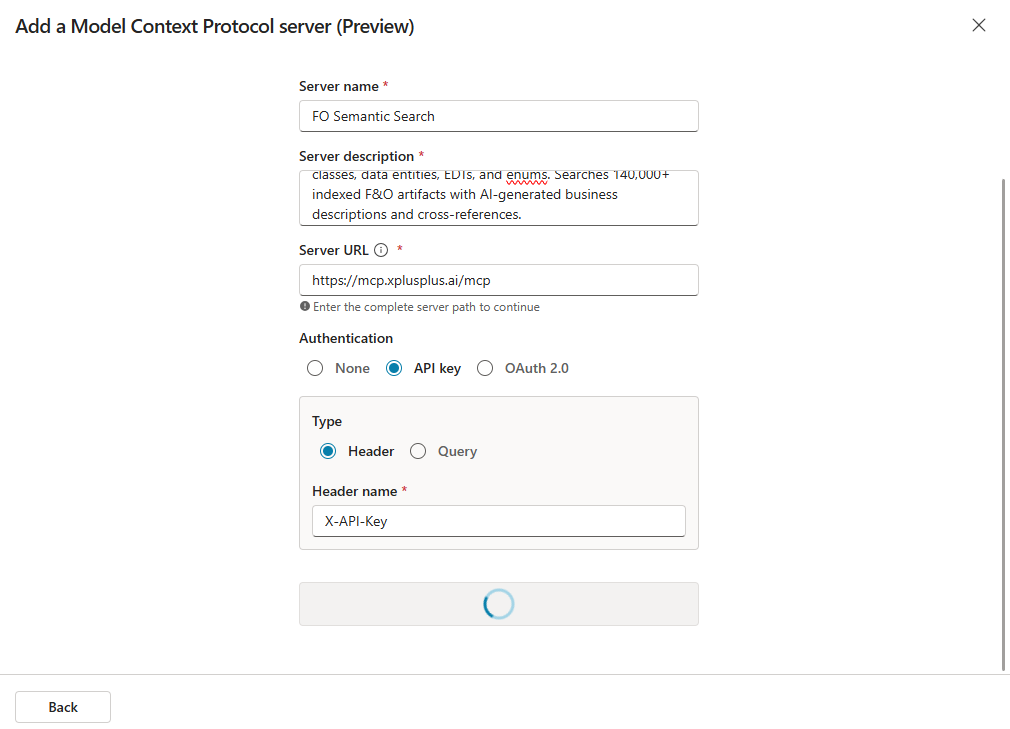
Create Connection
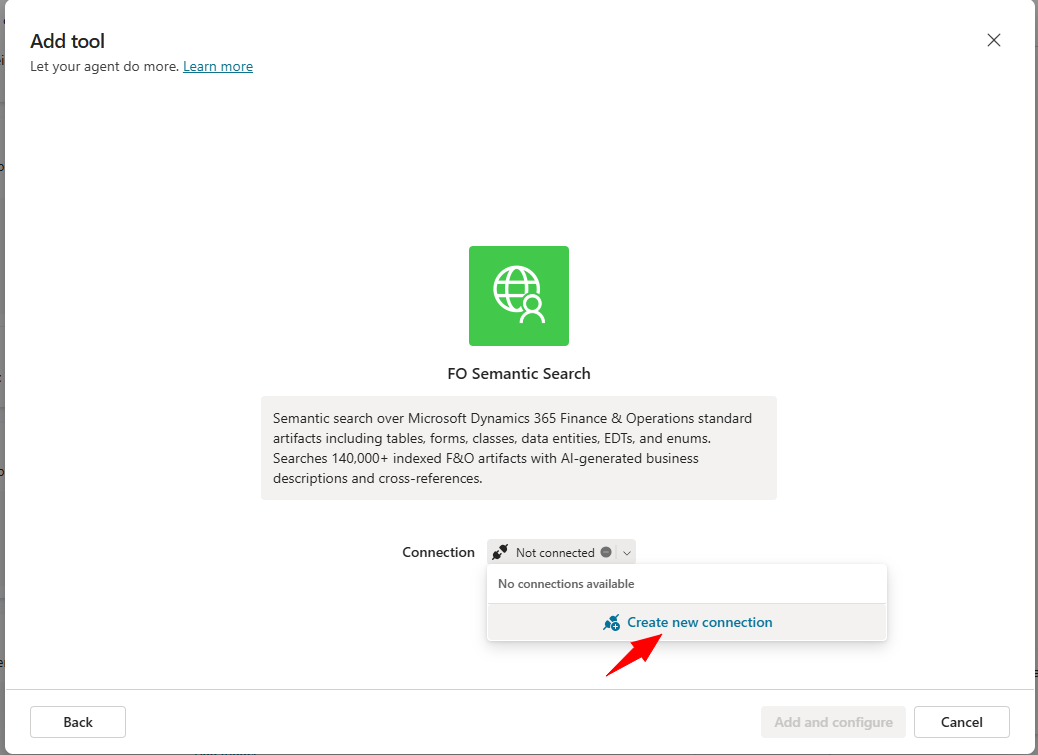
After the server is added, you'll see the FO Semantic Search tool. Click "Create new connection" to set up the authentication.
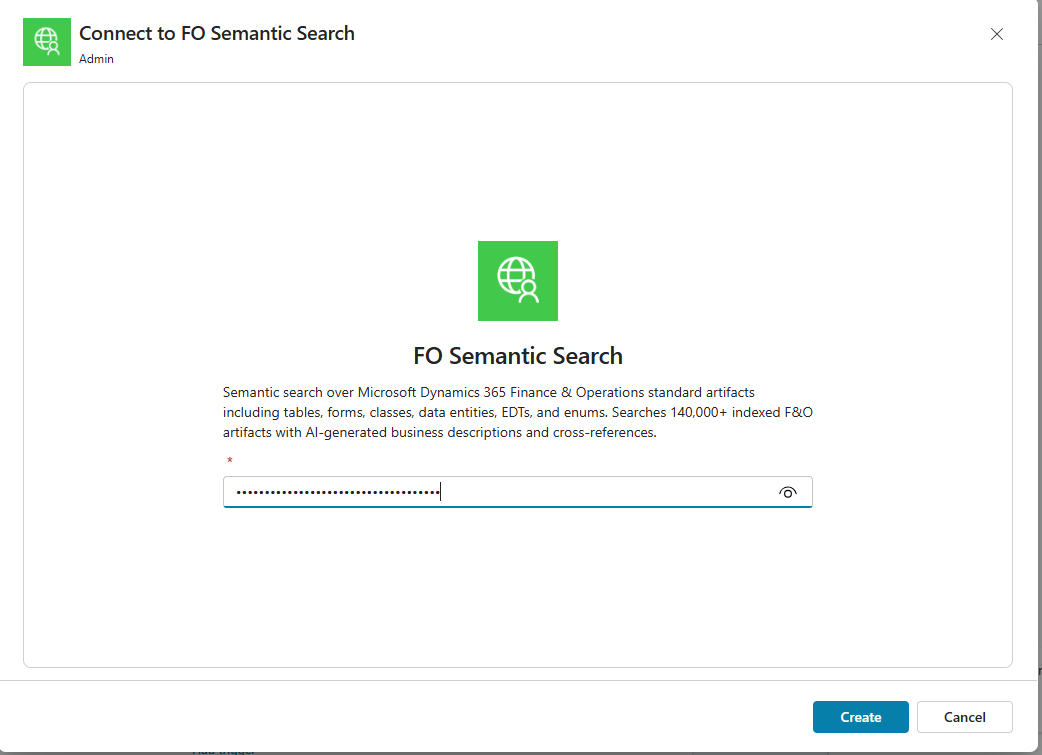
Enter Your API Key
In the connection dialog, enter your API key from xplusplus.ai and click Create.
Visit xplusplus.ai/user/login to sign up and get your API key.
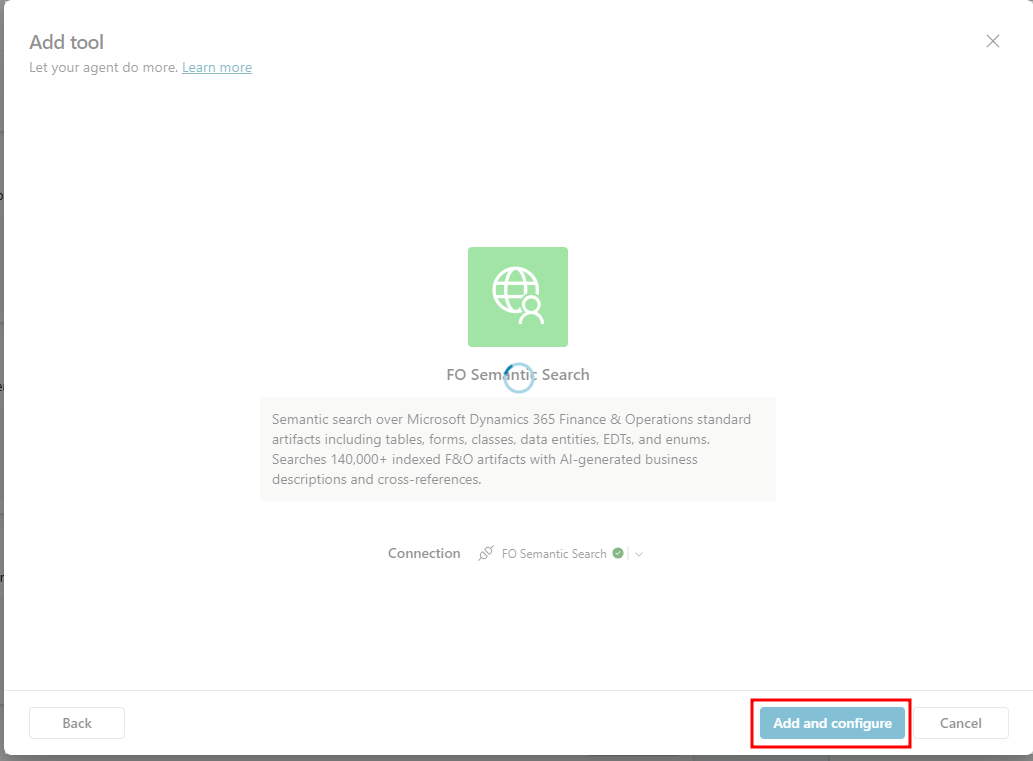
Add and Configure
Once connected (green checkmark), click "Add and configure" to add the tool to your agent.
Verify Tool Discovery
Copilot Studio will automatically discover the search_fo_artifacts tool. You should see it listed in the Tools section.
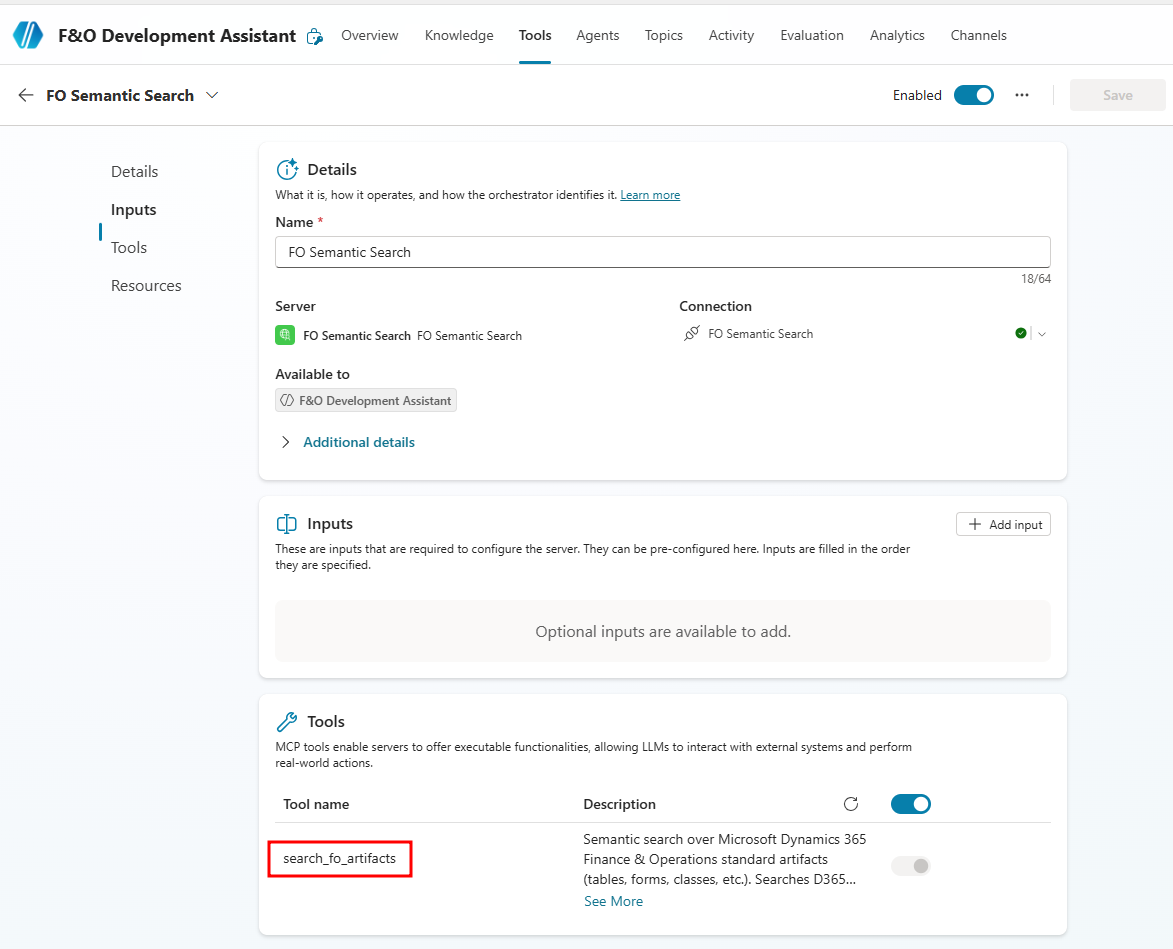
Click the refresh icon next to "Tools" header. If still not showing, try removing and re-adding the MCP server.
Setup Complete
Your FO Semantic Search tool is now enabled and ready to use. The tool will appear in your agent's tools list.
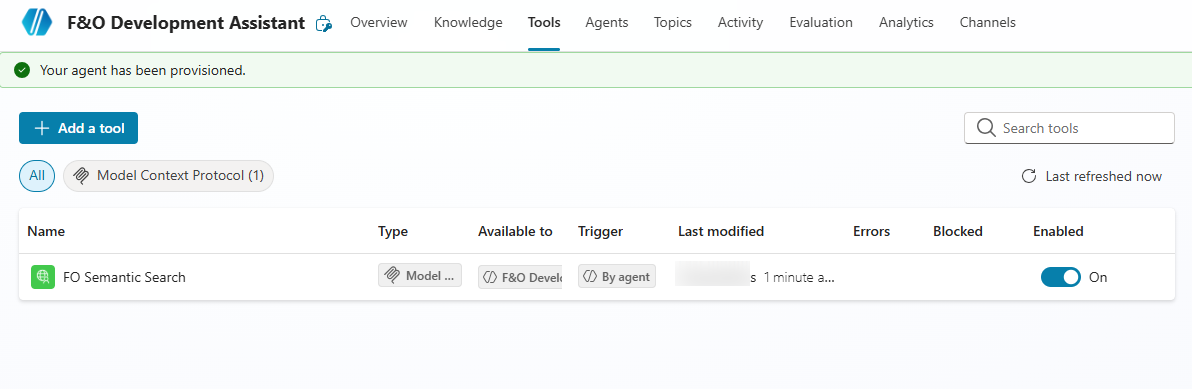
Setup Complete!
Your Copilot agent can now search 140,000+ F&O artifacts with AI-powered semantic search.
Test Your Agent
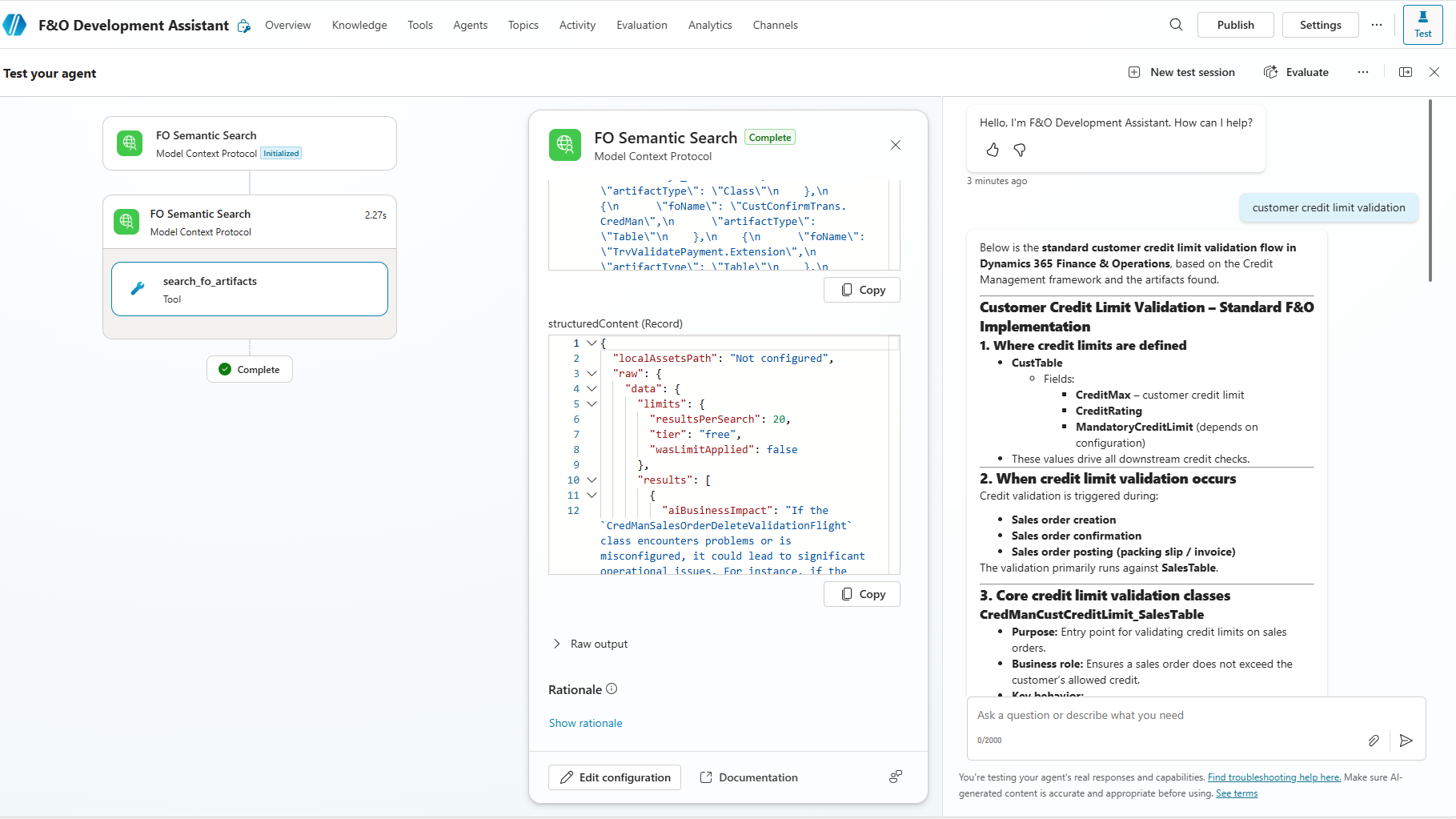
Click Test in the top-right corner to try out the semantic search. Ask questions about F&O artifacts!
Example Queries to Try:
"CustTable customer master" - Get detailed info about the customer master table"sales order posting" - Find classes that handle sales order posting"customer credit limit validation" - Understand the credit limit validation workflow"inventory transaction tables" - Find inventory-related tables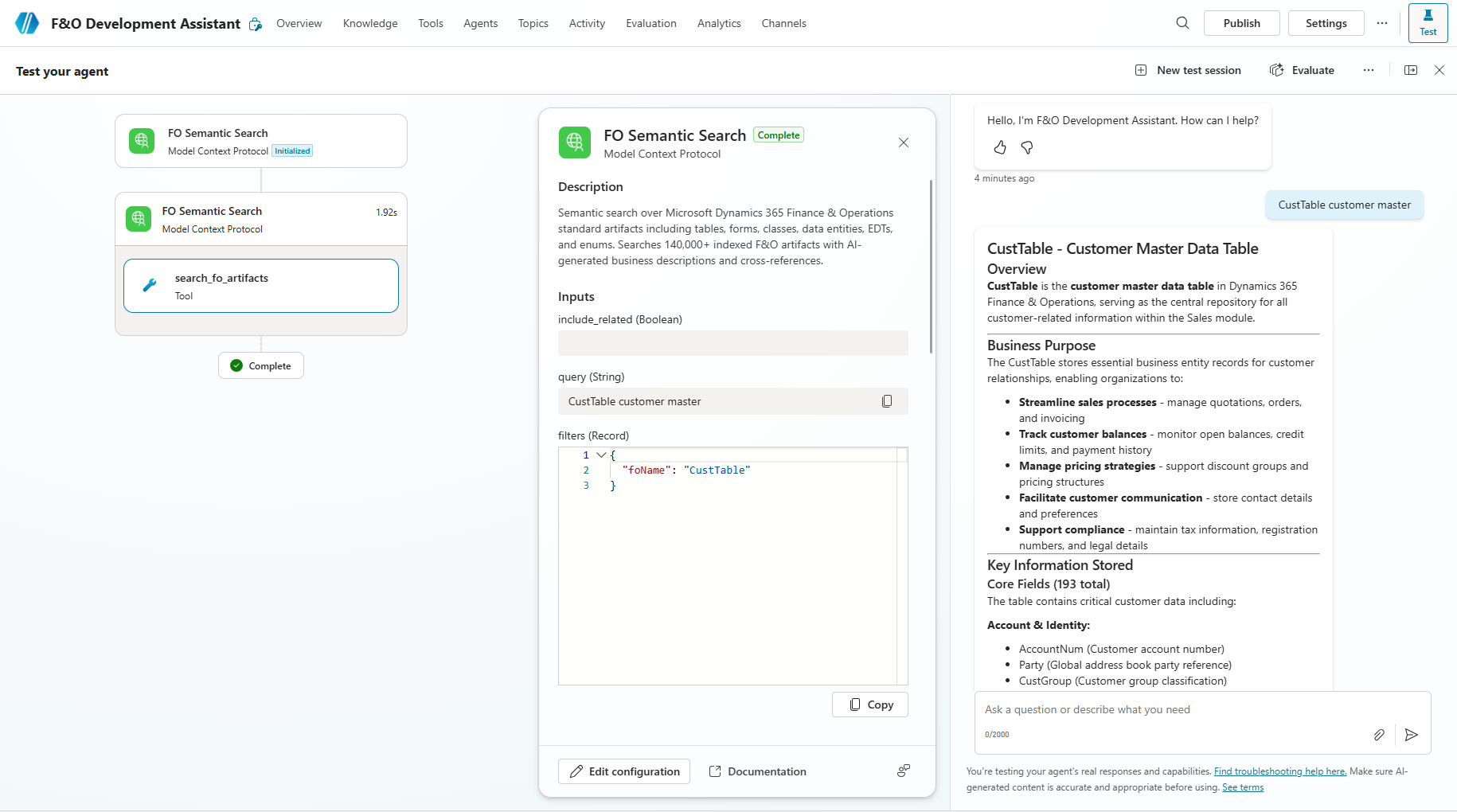
Tool Parameters Reference
| Parameter | Description |
|---|---|
query |
Natural language search query (required). Example: "customer credit limit table" |
artifact_types |
Filter by type: Table, Form, Class, EDT, Enum, DataEntity, View, Query |
limit |
Number of results (1-50, default: 10) |
threshold |
Minimum relevance score 0-1 (default: 0.5) |
filters.foName |
Exact artifact name filter (e.g., "CustTable") |
Need an API Key?
Sign up for free to get your API key and start searching F&O artifacts.
Get Your API Key