Live Demo
Real-Life Demo: AI-Assisted D365 F&O Development
Watch how an AI agent uses the Artifact MCP Server to complete a D365 F&O customization task
The Scenario
📋 The Task
User Request:
"Create a new field 'External name' on vendor group table if it is not exist, and add it to form general tab"
What You'll See:
- ✅ AI using
search_fo_artifactsMCP tool to find standard D365 artifacts - ✅ AI reading standard XML files via
fullLocalPath - ✅ AI searching user's workspace for existing customizations
- ✅ AI generating complete table and form extensions following D365 patterns
- ✅ Complete implementation delivered in a single session
Initial Search for VendGroup Table
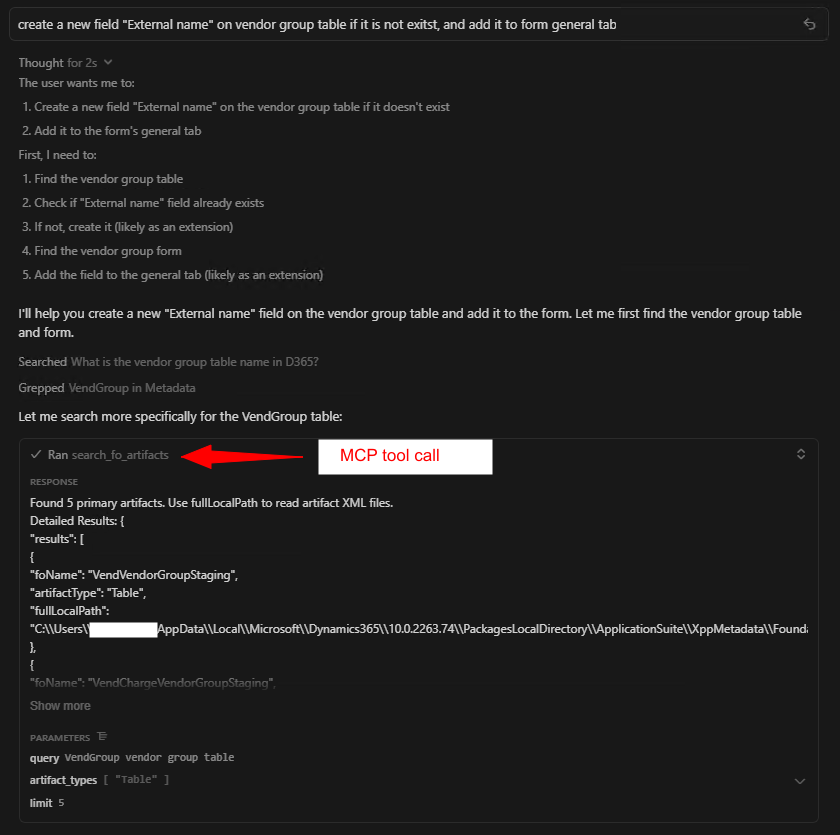
What's Happening:
- AI breaks down the user request into actionable steps
- First action: Find the VendGroup table in standard D365
- Uses
search_fo_artifactswith query: "VendGroup vendor group table"
Result:
Found 5 artifacts, including VendVendorGroupStaging table. AI recognizes this is a staging table, not the actual VendGroup table.
Refined Search with Better Query
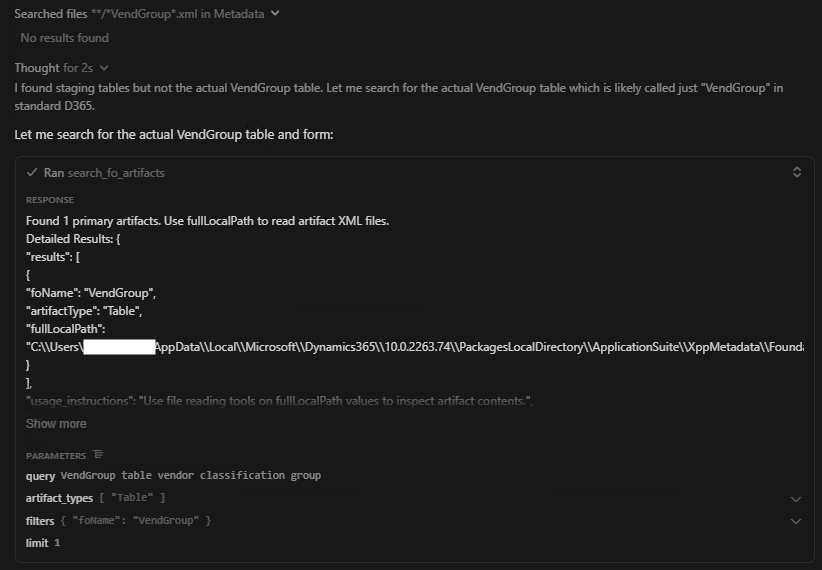
What's Happening:
- AI recognizes staging table isn't what's needed
- Refines query to: "VendGroup table vendor classification group"
- Uses more specific terminology to find the base table
Result:
Found the actual VendGroup table with fullLocalPath to the XML file.
Search for VendGroup Form
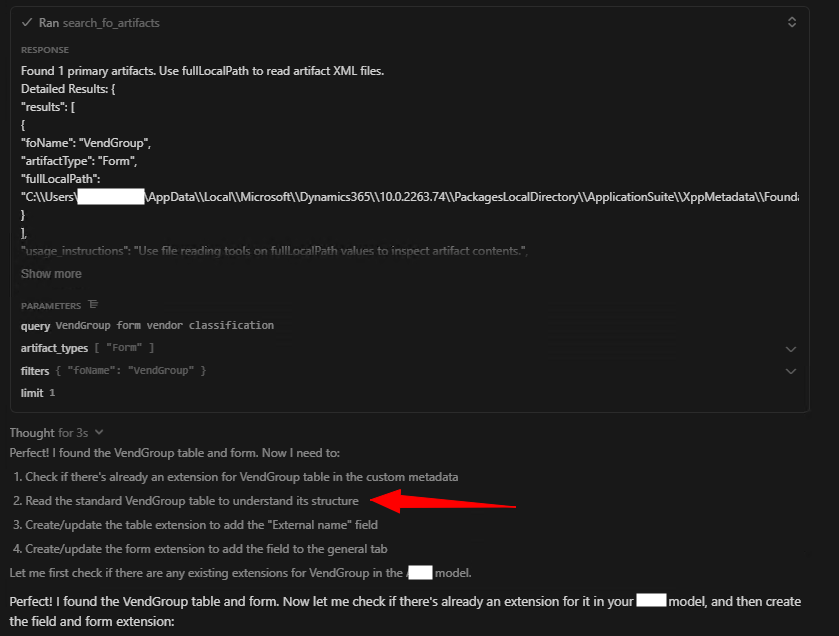
What's Happening:
- AI now needs to find the VendGroup form to add the field to the General tab
- Uses
search_fo_artifactswith query: "VendGroup form vendor classification" - Plans next steps: check for existing extensions, read standard implementations
Result:
Found VendGroup Form artifact with full metadata and file path.
Reading Standard Files & Checking Workspace
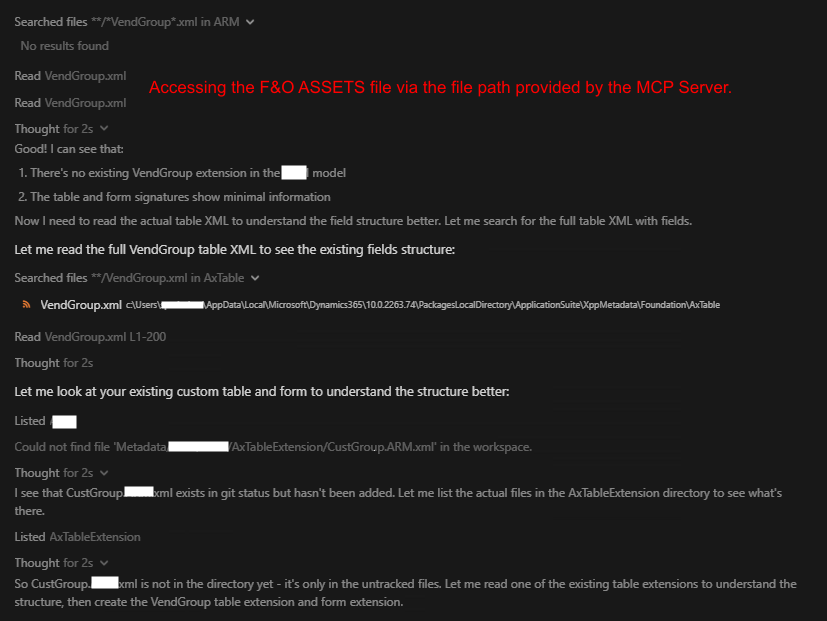
What's Happening:
- Critical moment: AI uses the
fullLocalPathprovided by MCP tool - Reads actual VendGroup.xml files to understand structure
- Searches user's workspace for existing VendGroup extensions
- No existing extension found - will need to create new files
Understanding Form Structure & Patterns
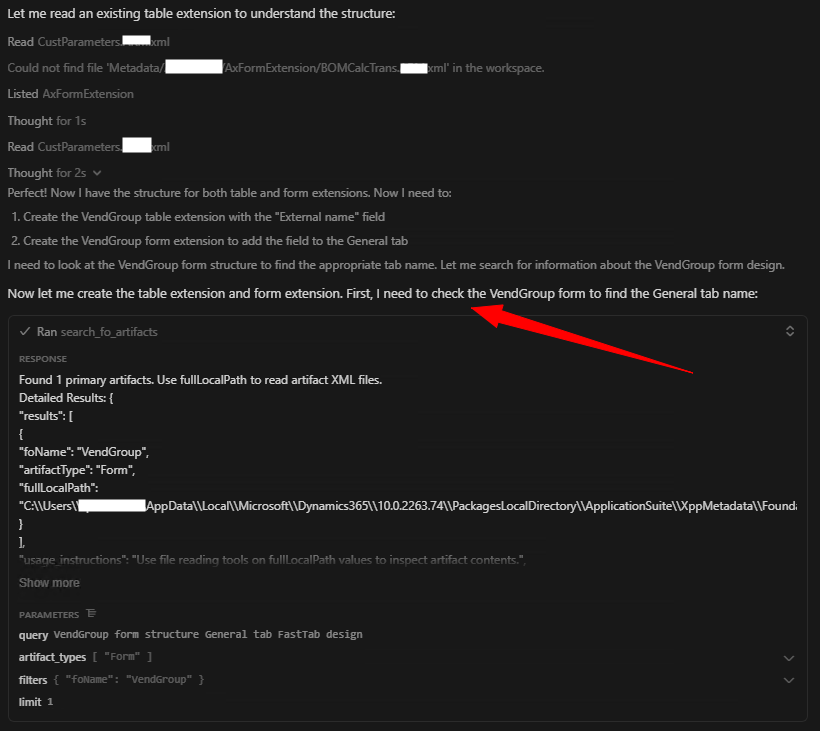
What's Happening:
- AI reads CustParameters table extension to understand extension patterns
- Searches for "General tab" structure in VendGroup form
- Uses grep to find General tab naming conventions
- Reads CustTable form to understand similar implementations
Result:
AI learns D365 patterns: TabGeneral naming, FastTab structure, field group organization.
Creating Extensions
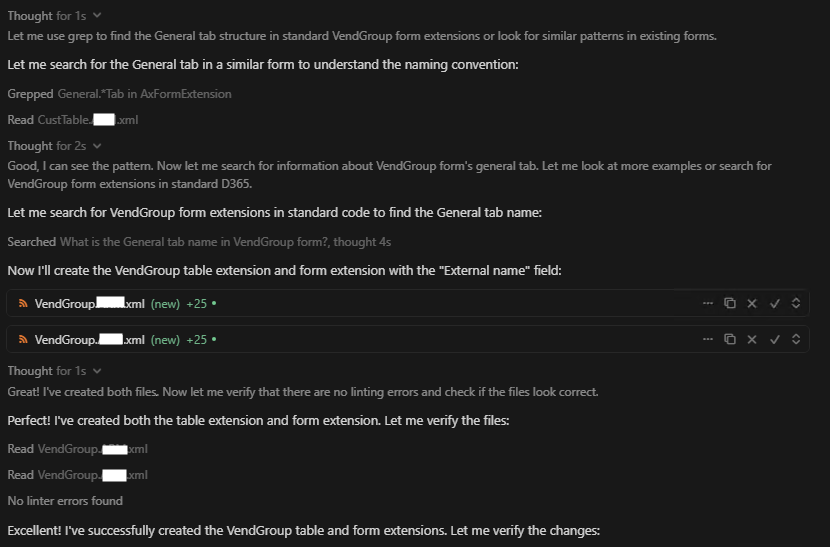
What's Happening:
- AI creates VendGroup table extension with new field
- AI creates VendGroup form extension adding field to General tab
- Both files shown as "new" with line counts (+25 lines each)
- Proper XML structure following D365 conventions
Key Details:
- Field uses
Nameextended data type (EDT) - Form control bound to VendGroup data source
- Placed in TabGeneral (General tab) as requested
Complete Summary & Next Steps
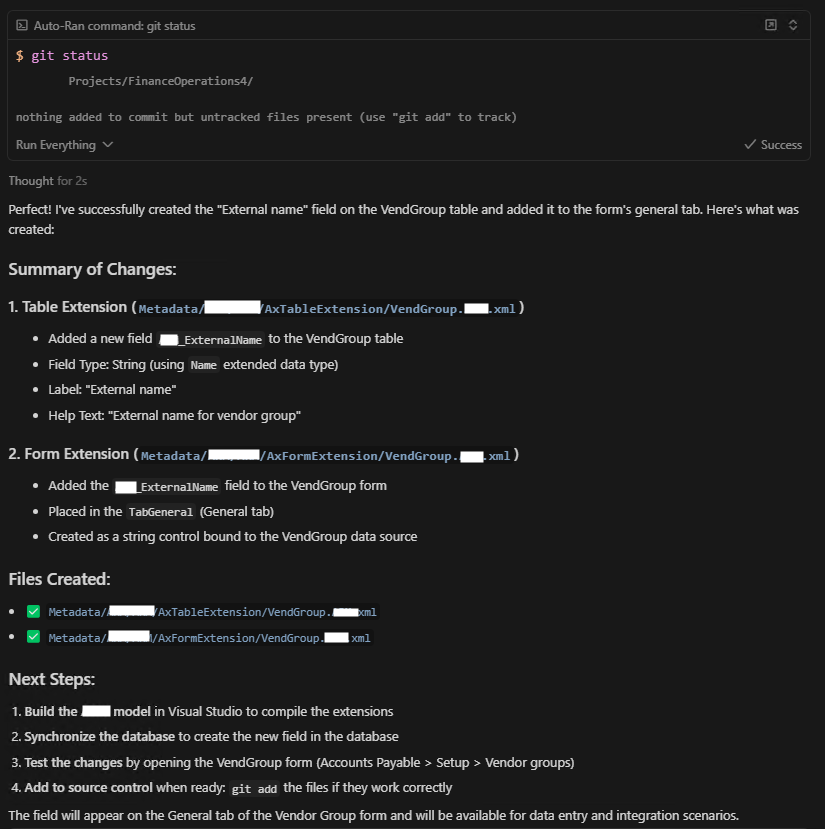
What's Delivered:
1. Table Extension
- Added field to VendGroup table
- Field Type: String (using Name EDT)
- Label: "External name"
- Help Text: "External name for vendor group"
2. Form Extension
- Added field to VendGroup form
- Placed in TabGeneral (General tab)
- Bound to VendGroup data source
3. Next Steps Provided
- Build the model in Visual Studio
- Synchronize database to create the new field
- Test in UI (Accounts Payable > Setup > Vendor groups)
- Add to source control when verified
Takeaways
🎓 What This Demonstrates
🔍 Semantic Search Works
The AI successfully found relevant D365 artifacts using natural language queries, even refining searches when needed.
📁 File Access is Critical
The fullLocalPath field enabled the AI to read actual standard implementations instead of guessing structure.
🧩 Pattern Recognition
AI learned from both standard D365 code and user's existing customizations to generate context-aware solutions.
⚡ Iterative Workflow
The tool supported an exploratory workflow - search, read, search again, read more, implement.
✨ Complete Implementation
From request to working code in minutes, with proper XML structure, naming conventions, and actionable next steps.
🎯 No Hallucination
AI didn't make up field names, table structures, or form designs - it looked them up using real metadata.
Get Started
Try It Yourself
Ready to experience AI-assisted D365 F&O development?